Construction Truck Kids Games
- 4.2
- Rating
- 10.00M
- Installs
- Free
- Price
 Analysis by App-foxy
I spent time with Construction Truck Kids Games as a simple building game for young children, and its appeal became clear very quickly: it turns the familiar excitement of trucks, excavators, and house building into a guided play session. Instead of asking a child to understand a complicated construction simulator, it keeps the focus on choosing a machine, completing a small task, and seeing the building take shape. That makes it much easier to approach than most vehicle games aimed at older players.
This is an educational game from gamesfarm, available for free and suitable for Everyone. It has attracted over 10 million installs and holds a 4.2 average from around 30 thousand ratings, so it is clearly being used by a large audience. I would not mistake that popularity for a guarantee that every child will enjoy it, but it does fit a very specific need: quiet, touch-friendly construction play for children who like vehicles and hands-on activities.
How the basic building workflow feels in everyday use
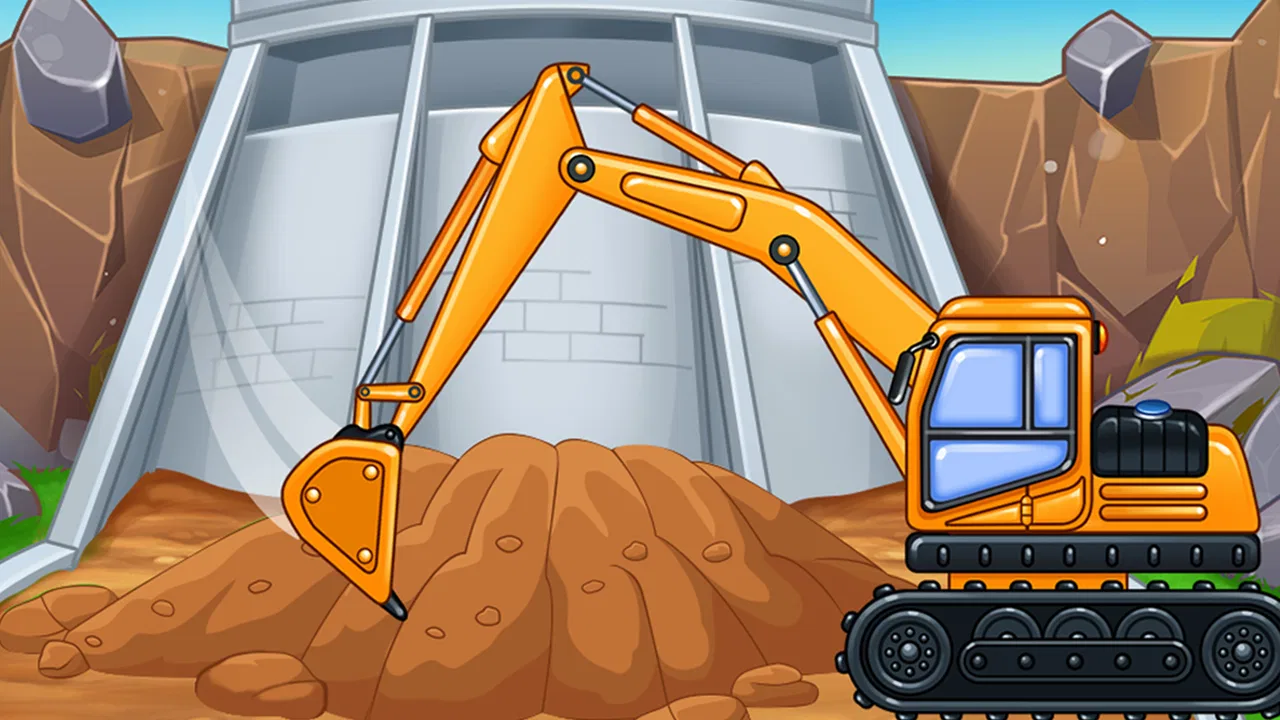
The usual session is easy to understand. A child works with construction vehicles and excavators, follows the immediate activity, and gradually helps assemble a house. The pleasure comes from the sequence rather than from a difficult challenge. There is a satisfying relationship between the action on screen and the result: move the machine, perform the task, and watch another part of the project appear.
You May Also Like

 Blood Strike: 2.5 Anniversary
Blood Strike’s Loadouts Turn Every Drop Into a Tactical Gamble
A close look at Blood Strike’s custom loadouts: how fast access to signature weapons reshapes its battle royale rhythm, rewards preparation, and narrows the gap between fights.

 Pandora - Music & Podcasts
Pandora’s Music Is Easy to Start, but Harder to Recover
Pandora’s strength is its low-effort path from a seed to a station. Its weak spot is how much confidence it asks you to place in connection, setup, and quiet recovery.

 8 Ball Pool
 Is Built on Rivalries, Rematches, and Routine
A close look at the rivalries, rematches, shared routines, and unanswered safety questions that turn a quick pool match into a persistent mobile community.

 Samsung Music
’s Quiet Strength Is Playing What You Already Own
Its reach comes less from spectacle than from dependable access to a personal library. That simplicity is both the app’s strongest retention engine and its ceiling.

 AccuWeather: Weather Radar
AccuWeather Review: A Quick, Clear Forecast for Everyday Decisions
For everyday plans, the best forecast is the one you can understand quickly. AccuWeather makes rain timing, radar, and local conditions easy to act on, with a few trade-offs.

 Hill Climb Racing
Why Hill Climb Racing Still Turns Crashes Into One More Run
A tiny car, a bumpy hill and one more upgrade: Hill Climb Racing keeps resurfacing because its simple chaos makes every near-miss feel personal.
More From Our News Desk



That straightforward structure matters when the player is still learning how touch controls work. A young child does not need to remember a long chain of commands or read a large amount of text before starting. I found the game most successful when treated as a short activity rather than as a game that needs to be completed in one sitting. A few minutes of focused construction can be enough, especially for children who lose interest when a game repeats the same interaction for too long.
A practical example is a child waiting at a restaurant or sitting beside a parent while an appointment runs late. This game can offer a contained activity: the child can build for a while, pause when attention shifts, and return later without needing to understand a complex story. It is also a natural fit for a parent who wants vehicle play without immediately introducing racing, combat, or competitive pressure.
The educational value is modest but real. Children can practise following a sequence, matching an action to a visible result, and coordinating taps or gestures with moving objects. I would describe it as learning through guided play, not as a formal lesson in construction or engineering. The game may encourage curiosity about what trucks do on a building site, but it should sit alongside real-world conversation, books, toys, or outdoor observation if a parent wants deeper learning.
One useful habit is to let the child try the task before stepping in. Because the game is visually direct, children can often discover the next action by watching what is highlighted or presented. If an adult takes over immediately, the child may enjoy the animation but miss the small problem-solving element. I prefer giving a hint only after the child has had a chance to test the obvious interaction.
What to check before handing over the device
The first thing I would check is the device environment rather than the game itself. Make sure the screen is clean, the volume is at a comfortable level, and the child has enough uninterrupted space to tap accurately. Construction play is less enjoyable when a child is trying to operate a small control while the device is being held awkwardly.
I would also open the game once without the child present. That gives an adult a chance to see how the opening flow works, whether the child can reach other areas easily, and where purchase prompts may appear. The game is free, but it includes in-app purchases ranging from $5.99 to $49.99 per item. That makes parental purchase controls especially important if the device is shared or linked to a payment method.
The age label is Everyone, which matches the gentle, child-oriented presentation I experienced. Still, an age rating does not replace supervision. A younger child may need help understanding what to tap, while an older child may find the activities too basic. The right question is not simply whether the game is allowed for a child’s age, but whether its level of interaction matches that child’s patience and ability.
There is also a useful distinction between sound and feedback. Some children respond strongly to vehicle noises and completion effects, while others become distracted by them. If the child is using the game in a quiet public place, checking the audio before starting avoids a small but common problem. If the game remains engaging with lower volume, that can make it more practical for waiting rooms, travel, or shared family spaces.
I would not promise a completely independent experience for every child. A preschooler may understand the visual goal but still need an adult to explain the order of actions. That is not a weakness in itself; it can turn the game into a shared activity. The important point is to expect guided support at first rather than assuming that a young player will navigate every part alone.
Small habits that make sessions smoother
Experienced use here is less about secret controls and more about repeatable routines. I found it helpful to begin by asking the child what the machine is supposed to do, even if the answer is obvious. That simple question turns passive tapping into a short prediction exercise. After the action, I ask whether the result matched the prediction. It adds a thinking step without making the game feel like homework.
Another good pattern is to keep one session focused on one construction goal. If the child jumps rapidly between activities, the vehicle theme remains entertaining, but the sequence becomes less meaningful. Staying with a single task for a little longer helps the child notice cause and effect and gives the finished house more importance.
For younger players, I would use hand-over-hand help only briefly. Showing the first movement and then letting the child repeat it is more useful than controlling the entire sequence. This is particularly relevant with excavator-style interactions, where a child may need to learn that a movement has to be deliberate rather than random.
Parents can also use the building theme to connect screen play with ordinary language. Words such as dig, lift, move, build, wall, roof, and machine can be introduced naturally while the child plays. The game itself does not need to become a vocabulary lesson; a few well-timed questions are enough. This is one of the stronger ways to get more value from a simple educational title.
When a child becomes frustrated, I would avoid repeating the same instruction louder. Instead, pause and describe the visible goal in plain language. For example, point out the part of the house that still needs attention and ask which vehicle might help. That keeps the child involved and reduces the chance that the adult becomes the person doing all the work.
Where it is faster than traditional alternatives
Compared with a physical construction set, the game removes the need to gather pieces, clean up, or worry about small parts being lost. A child can start immediately and see a complete building project without waiting for an adult to assemble a play area. That convenience is its main practical advantage over blocks or toy vehicles.
Compared with open-ended sandbox games, it is easier to supervise because the activity is narrower. A sandbox may offer more freedom, but it can also leave a young child unsure what to do next. Here, the construction theme supplies direction. I would choose this game when the child wants a guided vehicle activity, not when the goal is unlimited creative building.
Compared with racing games, the pace is calmer and the focus is not on winning. That makes it more suitable for a child who likes trucks but does not enjoy competition. The trade-off is that children who want speed, exploration, or dramatic challenges may quickly find the building routine too predictable.
A repeatable workflow works best: start with a short explanation, let the child attempt the first task, ask one prediction question, and then allow independent repetition. This approach is faster than explaining every screen in advance, and it preserves the discovery that makes the game enjoyable. It also gives parents a reliable way to tell whether the child is genuinely engaged or merely tapping through animations.
Limits that become clearer with regular play
The same simplicity that makes the game accessible can limit its long-term depth. Once a child understands the basic rhythm of construction, the novelty may fade. There is not enough here for me to recommend it as a child’s only game, especially if the player is already comfortable with more complex puzzles, creative tools, or simulation games.
The educational label should also be interpreted carefully. Construction Truck Kids Games supports basic coordination and sequencing, but it does not replace a structured learning app. A parent looking for reading practice, arithmetic, science explanations, or measurable progress should choose a title designed specifically for those goals.
In-app purchases are another reason to establish boundaries before play. The free entry point is convenient, but the presence of paid items means the adult should manage the device account rather than leaving that responsibility to a child. I would explain clearly that not every visible option is automatically available, then keep purchasing decisions outside the child’s play session.
There is also a difference between replay value and repeatability. A child may happily repeat a favorite construction action several times, but that does not necessarily mean the game is offering a new challenge each time. If the player is asking for more variety, a physical truck set, a drawing activity, or a more open building game may be a better next step.
Older children are the least obvious audience. The Everyone rating does not mean the game will suit every family member. A child who expects realistic machinery, detailed controls, or a large world may consider it too limited. I would skip it for players who want authentic vehicle simulation or substantial problem-solving, and choose it instead for children who value clear actions and immediate visual rewards.
My verdict after using it as a parent-friendly activity
Construction Truck Kids Games works best when its purpose is kept clear: it is a gentle, accessible vehicle-building game for children, not a full construction simulator and not a deep academic tool. I like the way it gives trucks and excavators a constructive role, and I appreciate that the house-building theme creates a visible sense of progress without adding pressure.
The strongest use case is a young child who enjoys machines, needs simple touch interactions, and benefits from a little adult conversation while playing. It is especially handy for short waiting periods or a calm shared session at home. The most valuable advanced technique is not a hidden feature; it is using the game deliberately with prediction questions, vocabulary, and a clear stopping point.
My reservations are equally straightforward. The activities can feel repetitive, the educational depth is limited, and purchase controls deserve attention. Children seeking open-ended creativity or high-energy action should look elsewhere. Even so, for families wanting a free starting point for screen-based construction play, it is an easy recommendation with sensible expectations.
After regular use, my final advice is to treat it as one tool in a wider play routine. Let the child operate the machines, talk about what is being built, and then move naturally to blocks, toy vehicles, drawing, or a real-world building-site conversation. The game is at its best when it sparks hands-on curiosity rather than trying to replace it. If that matches what you want, this educational title from gamesfarm is worth trying; if you need deep learning content or lasting complexity, a different category of app will serve you better.
FAQs for Construction Truck Kids Games
01What age group is Construction Truck Kids Games suitable for?
Construction Truck Kids Games is designed for children aged 3 to 8 years old. It features colorful graphics and simple controls that are perfect for young kids. The game aims to develop cognitive skills, hand-eye coordination, and creativity by allowing children to engage in fun construction-themed activities.
02Does Construction Truck Kids Games have any in-app purchases?
Yes, Construction Truck Kids Games includes in-app purchases. While the basic version offers several free features, additional content and customization options can be unlocked through purchases. Parents can control these purchases through device settings to ensure a safe gaming experience for their children.
03Is Construction Truck Kids Games available on both Android and iOS?
Construction Truck Kids Games is available for download on both Android and iOS platforms. It can be found in the Google Play Store for Android devices and the Apple App Store for iOS devices, ensuring accessibility for a wide range of users.
04Are there any ads in Construction Truck Kids Games?
The game may contain ads that appear occasionally between levels or activities. However, there is often an option to remove these ads through an in-app purchase, allowing for an uninterrupted gaming experience. It's recommended to review the ad policy before downloading.
05Does Construction Truck Kids Games require an internet connection to play?
Construction Truck Kids Games can be played offline, making it convenient for entertainment on the go without the need for a constant internet connection. However, some features like updates or in-app purchases may require internet access. Always check the app’s requirements for more details.
Pros
- Engaging graphics that captivate children.
- Simple controls suitable for young kids.
- Educational content with construction themes.
- Variety of trucks to explore and operate.
- Encourages creativity and problem-solving.
Cons
- Limited free content; in-app purchases necessary.
- Some ads may disrupt gameplay experience.
- Requires internet connection for certain features.
- May not hold interest for older children.
- Occasional performance lags on older devices.

Construction Truck Kids Games
Gallery